MELLOW · DOCUMENTATION · 0.3.3 BETA
Edit files in your terminal. Start with the keys you know.
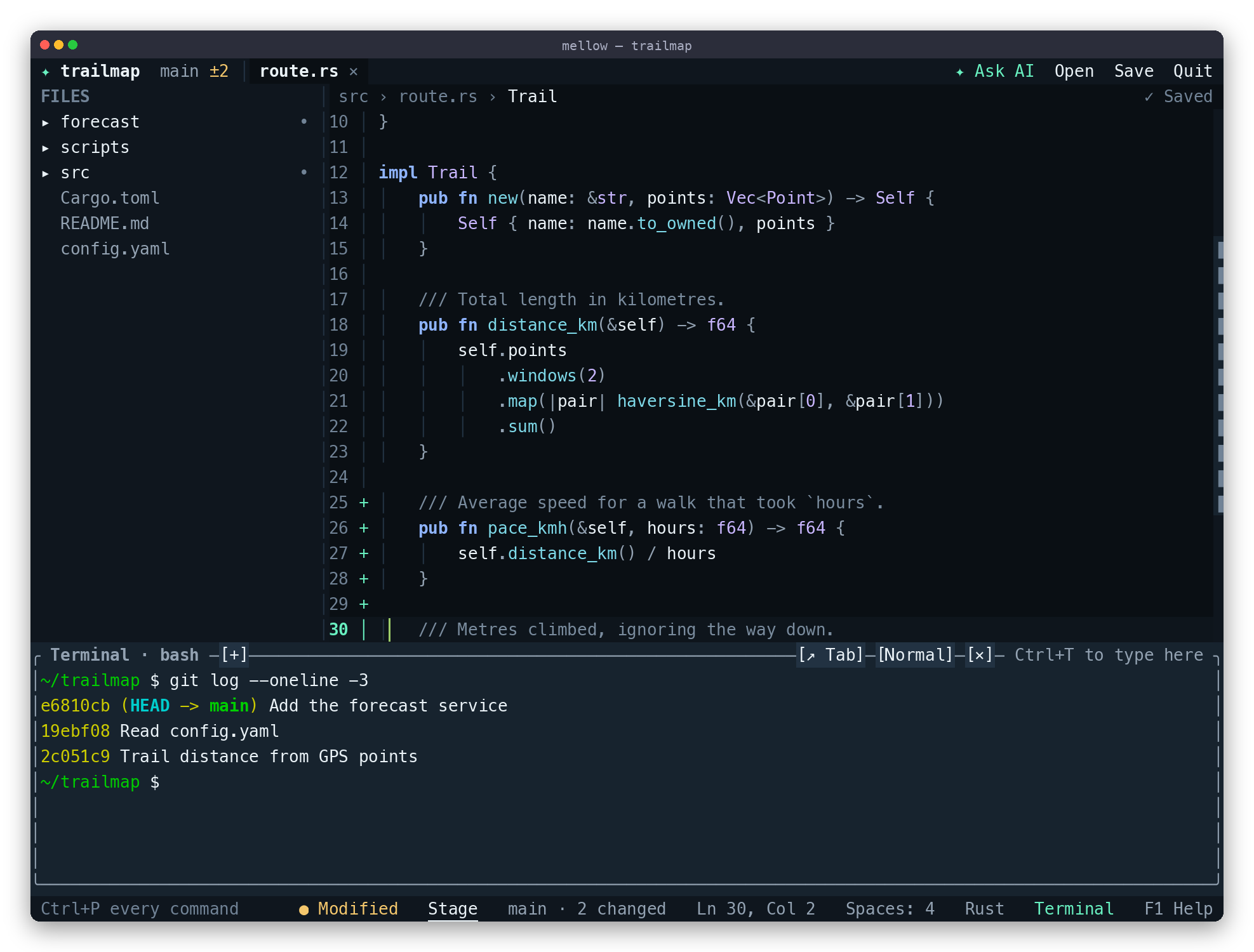
Mellow is a modeless terminal text editor for macOS and Linux, written in
Rust by Ritru Labs. Open a text file or a project folder, type immediately,
and save with Ctrl+S. There is no insert mode to enter or command language
to learn before your first edit.
What is this repository?
ritru-labs/mellow contains the native
mellow executable, its Rust source and tests, packaging scripts, and this
MkDocs documentation site. The website explains the editor; the editor itself
runs inside your terminal, locally or on a machine you reach over SSH.
Mellow is useful for people who want to edit configuration, notes, scripts or source code without leaving the shell, including people unfamiliar with modal editors. Core editing works offline and needs no account, AI provider or language server. It is an Apache-2.0 open-source project, currently in beta.
Start here
-
1 · Install
Choose a binary package, Homebrew or Cargo and check your terminal setup.
-
2 · Make a first edit
Create a practice file, save it, quit, and verify the result in your shell.
-
3 · Work on a project
Find files, search text, compare panes, run a command and review Git changes.
-
4 · Understand the code
See how buffers, terminal rendering and optional integrations fit together.
What works today?
| Capability in 0.3.3 | What you need |
|---|---|
| Editing, undo/redo, mouse selection, tabs, split panes, file search and replace | The Mellow binary and an interactive terminal |
| Project file picker, file tree, project search, session restore and crash journals | A local project folder; UTF-8 text files |
| Six themes, configurable keys and settings | No extra packages |
| Built-in shell sessions | A supported Unix environment and a shell |
| Git changes, staging, commits, branches, history, fetch, pull and push | System git; existing repository and authentication for remote operations |
| Tree-sitter highlighting for Rust, Python, JSON, Shell, YAML and Terraform/HCL | Bundled with Mellow |
| Completion, diagnostics, navigation and other language-aware actions | A separately installed language server; capabilities vary by server |
| Format on save | A separately installed formatter, and the setting enabled |
| AI explanations, reviewed selection edits and optional inline suggestions | Explicit AI setup, a reachable provider and a key where required |
Know the boundaries
Mellow is a text editor with optional integrations, not a complete IDE or an autonomous coding agent. Native Windows is unsupported; use the Linux build inside WSL. Files must be UTF-8 and no larger than 100 MiB. Files over 5 MiB use reduced functionality without parsing or language servers.
Project search is bounded and reports skipped files or truncated results. Language-server and AI integrations exist, but have not been tested against every live server or provider account. See limitations and troubleshooting before depending on a particular workflow. Design goals and future hardening are identified separately in the architecture.
Find an answer
- A key or command: Keyboard reference, or
Ctrl+Pinside Mellow. - Appearance or behavior: Settings and themes.
- Something did not work: Troubleshooting.
- Contributing or publishing docs: Development guide.
- A bug to report: GitHub issues.
October audit
Audit workflows describe the editing and trust controls added in 0.3.1. The complete audit tracker separates implemented work, local evidence, native validation gates and deliberately deferred ideas.